
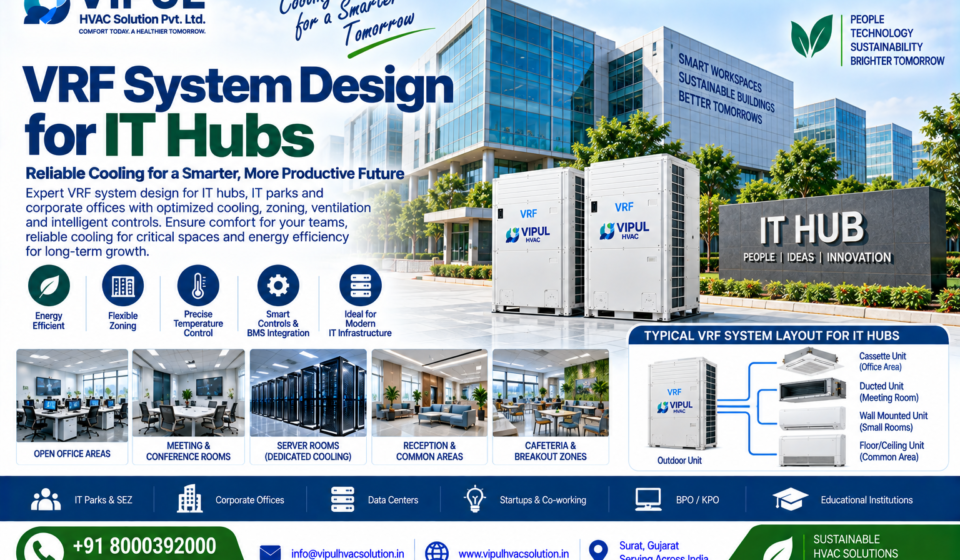

VRF System Design for IT Hubs: Complete HVAC Design Guide
Modern IT hubs, IT parks, technology campuses, BPO/KPO facilities and corporate technology offices require HVAC systems that can provide reliable temperature control across many zones while adapting to changing occupancy and operating schedules.
A properly engineered VRF system design for IT hubs should therefore include more than selecting VRF indoor and outdoor units. It should address cooling-load calculation, zoning, equipment selection, refrigerant piping, ventilation, fresh air, server-room requirements, controls, BMS integration, energy efficiency, redundancy, installation and commissioning.
ASHRAE Guideline 41-2020 specifically provides guidance for the design, installation and commissioning of Variable Refrigerant Flow (VRF) systems. ASHRAE’s guidance also emphasizes treating VRF as part of an integrated HVAC system rather than simply as an equipment product.
VIPUL HVAC Solution Pvt. Ltd. provides VRF/VRV solutions including system design, indoor and outdoor unit selection, refrigerant piping design, control logic, zoning, commissioning, performance optimization and AMC support.
What Is VRF System Design for an IT Hub?
VRF system design for an IT hub is the engineering process of designing a variable refrigerant flow HVAC system according to the cooling requirements, occupancy, zoning, operating schedule and technology infrastructure of an IT facility.
A typical IT-hub VRF project can include:
- VRF outdoor units
- VRF indoor units
- Refrigerant piping
- Branch/refnet components
- Condensate drainage
- Controllers
- Communication wiring
- Centralized controls
- BMS integration
- Fresh-air systems
- Exhaust systems
- Dedicated cooling for critical IT spaces
- Testing and commissioning
The objective is to provide comfortable, controllable and energy-conscious cooling while maintaining an appropriate HVAC strategy for critical technology areas.
Why Is HVAC Design Important for IT Hubs?
IT hubs are different from conventional offices because they can contain several types of spaces with very different cooling requirements.
For example:
Open Office
Primary requirements:
- Thermal comfort
- Occupancy-based cooling
- Fresh air
- Flexible zoning
Conference Room
Requirements can change rapidly depending on occupancy.
Server Room
Requirements can include:
- High sensible heat removal
- Continuous operation
- Reliability
- Dedicated cooling strategy
Network Room
Network equipment can operate continuously and generate substantial heat.
UPS/Electrical Room
Equipment heat can be significant even when occupancy is low.
Reception and Common Areas
Cooling requirements depend heavily on occupancy and operating schedules.
Therefore, one HVAC strategy should not automatically be applied to every area of an IT hub.
VRF System Design for IT Hubs: Step-by-Step
1. Understand the IT Hub Building
The first stage is collecting project information.
The HVAC consultant should review:
- Architectural drawings
- Floor plans
- Number of floors
- Ceiling heights
- Glass areas
- Building orientation
- Occupancy
- Operating hours
- IT equipment locations
- Server rooms
- Network rooms
- UPS rooms
- Electrical rooms
- Meeting rooms
- Cafeteria
- Reception
- Common areas
- Future expansion plans
VIPUL’s customized HVAC design process includes site analysis, load calculation, building orientation, occupancy density, equipment heat loads and climate conditions.
2. Divide the IT Hub Into HVAC Zones
Zoning is one of the key advantages of VRF technology.
A typical IT hub may be divided into:
| Area | HVAC Design Consideration |
|---|---|
| Open Office | Comfort + occupancy |
| Private Cabins | Individual control |
| Meeting Rooms | Variable occupancy |
| Conference Rooms | High short-duration load |
| Reception | Occupancy + comfort |
| Cafeteria | Ventilation + cooling |
| Server Room | Dedicated critical cooling |
| Network Room | Equipment heat |
| UPS Room | Equipment heat |
| Electrical Room | Continuous equipment load |
| Training Room | Variable occupancy |
| Common Area | Comfort cooling |
| Security Room | Continuous occupancy |
| Control Room | Equipment + occupancy |
The zoning strategy should reflect actual room function and operating schedules.
3. Perform Cooling Load Calculation
A professional IT-hub VRF design starts with a proper cooling-load calculation.
The calculation should consider:
Building Envelope
- Walls
- Roof
- Windows
- Glass
- Doors
- Solar heat gain
Occupancy
Calculate heat generated by:
- Employees
- Visitors
- Security personnel
- Facility staff
Lighting
Lighting contributes sensible heat to the space.
IT Equipment
This is particularly important.
Consider:
- Computers
- Monitors
- Networking equipment
- Servers
- Switches
- Routers
- Storage systems
- UPS equipment
- Displays
Ventilation
Outdoor air creates additional cooling and, depending on climate, latent loads.
Infiltration
Consider uncontrolled outdoor-air entry through doors and building leakage.
4. Calculate IT Equipment Heat Load
For IT hubs, equipment heat load can be one of the most important factors.
For example:
Building Heat Gain
        +
Occupancy Heat
        +
Lighting Heat
        +
IT Equipment Heat
        +
Ventilation Load
        +
Infiltration
        =
Total Cooling Load
The actual calculation should be based on project-specific equipment data.
For critical IT spaces, equipment manufacturers’ environmental requirements and the applicable data-center/technology-facility design criteria should also be reviewed.
5. Separate Comfort Cooling From Critical IT Cooling
This is an important design principle.
An IT hub may contain both:
Comfort Spaces
- Offices
- Meeting rooms
- Reception
- Cafeteria
- Training rooms
and:
Critical Technology Spaces
- Server rooms
- Network rooms
- UPS rooms
- Equipment rooms
These areas should not automatically receive the same HVAC strategy.
A VRF system can be appropriate for many comfort zones, while dedicated precision cooling or another appropriately engineered solution may be required for critical technology spaces.
VIPUL’s broader HVAC portfolio includes VRF/VRV, precision air conditioning, chillers, AHUs, ventilation and BMS/HVAC automation, allowing different technologies to be considered according to application.
6. Select the VRF Outdoor Unit
Outdoor-unit selection should consider:
- Calculated cooling load
- Indoor-unit combination
- Diversity
- Simultaneous demand
- Outdoor design conditions
- Operating range
- Manufacturer’s combination rules
- Refrigerant piping limitations
- Future requirements
- Reliability requirements
The outdoor unit should be selected based on engineering calculations rather than simply choosing the largest available capacity.
7. Select the Correct Indoor Units
Different IT-hub spaces may require different indoor-unit configurations.
Cassette Indoor Units
Can be suitable for selected:
- Open offices
- Meeting rooms
- Common areas
Concealed Duct Units
Useful where:
- Concealed installation is preferred
- Air distribution through ductwork is required
- Architectural appearance is important
Wall-Mounted Units
Can be considered for selected small enclosed spaces.
Floor/Ceiling Units
May be useful where ceiling configuration requires an alternative arrangement.
The selection should consider:
- Cooling capacity
- Airflow
- Room layout
- Noise
- Ceiling height
- Maintenance access
- Architectural requirements
8. Refrigerant Piping Design
Refrigerant piping is one of the most critical parts of VRF design.
The design should evaluate:
- Pipe diameter
- Main pipe route
- Branch arrangement
- Equivalent pipe length
- Total pipe length
- Vertical height difference
- Refrigerant requirements
- Insulation
- Service access
- Manufacturer limitations
A simplified arrangement is:
                VRF OUTDOOR UNIT
                       │
                Main Refrigerant
                       │
              ┌────────┴────────┐
              │                 │
           Branch A          Branch B
              │                 │
        ┌─────┼─────┐      ┌────┼────┐
        ↓     ↓     ↓      ↓    ↓    ↓
      Office Meeting Cabin Server Network Admin
The exact pipe sizes, allowable lengths and branch configurations must follow the selected manufacturer’s engineering data.
9. Design Fresh-Air Ventilation
A common misconception is:
VRF automatically provides complete fresh-air ventilation.
It does not necessarily do so.
VRF primarily provides space conditioning. An IT hub may also require a dedicated ventilation strategy.
This can include:
- Fresh-air handling units
- AHUs/FAHUs
- Supply fans
- Exhaust fans
- Filters
- Heat recovery
- Dampers
- Airflow control
VIPUL’s ventilation offering includes fresh-air handling, supply/exhaust fans, filters, dampers, heat recovery and airflow testing/balancing.
A typical strategy can be:
VRF → Space Cooling
FAHU/AHU → Fresh Air
Exhaust → Unwanted Air Removal
BMS → Monitoring & Control
10. Server Room HVAC Design
Server rooms require special consideration.
Unlike an office, the server room may have:
- High sensible heat
- Low occupancy
- Continuous operation
- High equipment density
- Critical uptime requirements
Therefore, the cooling strategy should consider:
Heat Load
Calculate actual equipment heat generation.
Air Distribution
Avoid undesirable hot spots and ensure effective airflow around equipment.
Reliability
Consider equipment failure scenarios.
Redundancy
Critical applications may require redundant cooling capacity.
Monitoring
Temperature and equipment status can be monitored through appropriate controls.
Dedicated Cooling
Depending on heat density and criticality, dedicated precision cooling may be more appropriate than standard comfort VRF.
VIPUL lists precision air conditioning as part of its HVAC portfolio for critical environments.
11. Network Room HVAC
Network rooms can contain:
- Network switches
- Routers
- Communication equipment
- Fiber equipment
- Security systems
Even with relatively low occupancy, the equipment can generate continuous heat.
The HVAC design should therefore focus on:
- Sensible cooling
- Continuous operation
- Temperature monitoring
- Equipment reliability
- Maintenance access
12. UPS Room HVAC
UPS rooms can generate substantial heat from:
- UPS systems
- Batteries
- Power electronics
- Electrical equipment
The HVAC consultant should calculate the actual equipment heat load and coordinate the environmental requirements with the electrical design.
13. BMS Integration for IT Hubs
Modern IT campuses often benefit from centralized HVAC monitoring.
Depending on the selected VRF equipment and controls architecture, BMS integration can provide monitoring of:
- Indoor temperature
- Setpoints
- Equipment status
- Fault alarms
- Operating schedules
- Energy data where supported
- Zone operation
- HVAC alarms
ASHRAE Guideline 41 includes guidance concerning VRF controls and interfaces with building automation and control systems.
VIPUL also provides BMS and HVAC automation solutions involving HVAC monitoring, energy tracking, alarms and fault detection.
14. Energy-Efficient VRF Design for IT Hubs
Energy efficiency should be considered from the beginning of the project.
Correct Capacity
Avoid unnecessary oversizing.
Zone Control
Operate different zones according to actual occupancy and schedules.
Inverter-Based Operation
Variable-capacity operation can help match cooling output to changing demand.
Scheduling
HVAC schedules should match office and facility operating hours.
BMS
Centralized monitoring can help facility teams identify abnormal operating conditions.
Ventilation Optimization
Fresh-air systems should be properly designed and controlled.
Maintenance
Dirty filters, coils and heat exchangers can reduce system performance.
ASHRAE’s VRF guidance specifically discusses energy modeling and recommends viewing VRF as part of an integrated HVAC system rather than as a stand-alone product.
15. Redundancy and Reliability
For an IT hub, reliability can be more important than simply minimizing initial equipment cost.
The design team should evaluate:
- Critical rooms
- Cooling failure consequences
- Backup capacity
- Equipment redundancy
- Maintenance strategy
- Emergency operation
- Critical alarm monitoring
The level of redundancy should be determined according to the facility’s operational and availability requirements.
VRF System Layout for an IT Hub
A simplified architecture can look like this:
                  VRF OUTDOOR UNIT
                         │
                  Refrigerant Network
                         │
        ┌────────────────┼────────────────┐
        │                │                │
        ↓                ↓                ↓
   OFFICE ZONE       MEETING ZONE     COMMON AREA
        │                │                │
    Indoor Units     Indoor Units     Indoor Units


             SEPARATE CRITICAL HVAC
                         │
              ┌──────────┴──────────┐
              ↓                     ↓
        SERVER ROOM            NETWORK ROOM
        Precision Cooling      Dedicated Cooling


             VENTILATION SYSTEM
                         │
                     FAHU/AHU
                         │
                    Fresh Air
                         ↓
                  Occupied Areas
This is a conceptual arrangement only. Actual HVAC architecture should be engineered according to the project.
VRF vs Chiller for IT Hubs
The choice between VRF and a centralized chilled-water system depends on the size and requirements of the IT facility.
| Factor | VRF | Chiller + AHU/FCU |
|---|---|---|
| Zone control | Strong | Possible |
| Multiple small zones | Well suited | Possible |
| Large central plant | Application-dependent | Common option |
| Refrigerant piping | Yes | No |
| Chilled-water piping | No | Yes |
| BMS integration | Available | Available |
| Office areas | Often suitable | Suitable |
| Large IT campus | Application-dependent | May be considered |
| Fresh air | Separate strategy | AHU/FAHU integration |
| Critical IT cooling | Application-specific | Application-specific |
| Expansion | Flexible within system limits | Requires plant/network planning |
There is no universal answer for every IT hub.
The final selection should consider:
- Total cooling load
- Building size
- Number of floors
- Zone count
- Critical IT load
- Operating schedule
- Redundancy
- Capital cost
- Energy consumption
- Maintenance
- Future expansion
VRF System Design for IT Parks and Technology Campuses
Large IT parks may contain:
- Multiple office buildings
- Cafeterias
- Training centers
- Conference facilities
- Server rooms
- Network rooms
- Security centers
- Retail spaces
- Parking areas
- Common areas
A campus-wide HVAC strategy may therefore combine:
- VRF
- Chillers
- AHUs
- FAHUs
- Precision Cooling
- Ventilation
- BMS
The correct combination depends on the building and application.
VIPUL’s customized HVAC design service considers VRF/VRV, chillers, AHUs, heat pumps, ducted/package systems and other HVAC technologies according to project requirements.
VRF Design for BPO and KPO Facilities
BPO and KPO buildings often have:
- Large open offices
- High employee density
- Long operating hours
- Multiple shifts
- Meeting rooms
- IT equipment
- Cafeterias
VRF can be considered where flexible zoning is important.
The design should evaluate:
- Occupancy load
- Shift schedules
- Fresh-air requirements
- Zone diversity
- After-hours operation
- Energy management
VRF Design for IT Offices
IT offices can benefit from:
- Individual zone control
- Flexible indoor-unit configurations
- Centralized monitoring
- Scheduling
- BMS integration
- Energy-conscious operation
Typical zones include:
- Open workspaces
- Private offices
- Meeting rooms
- Boardrooms
- Reception
- Breakout spaces
- Training rooms
VRF Design for IT Hubs: Important Design Parameters
Before finalizing the design, evaluate:
Cooling
- Building load
- IT equipment heat
- Occupancy
- Solar gain
- Lighting
Zoning
- Room function
- Operating hours
- Orientation
- Tenant requirements
Refrigerant
- Pipe length
- Vertical difference
- Branch arrangement
- Manufacturer limitations
Ventilation
- Outdoor air
- Exhaust
- Filtration
- Air distribution
Critical IT Spaces
- Server room
- Network room
- UPS room
- Electrical room
Controls
- Local controls
- Centralized controls
- BMS
- Alarms
- Scheduling
Reliability
- Backup capacity
- Critical-room cooling
- Maintenance
- Emergency operation
VRF System Design Process for IT Hubs
A professional project can follow this workflow:
1. Requirement Study
↓
2. Site Survey
↓
3. Architectural Drawing Review
↓
4. Cooling-Load Calculation
↓
5. IT Equipment Heat-Load Assessment
↓
6. HVAC Zoning
↓
7. VRF Equipment Selection
↓
8. Indoor-Unit Selection
↓
9. Outdoor-Unit Selection
↓
10. Refrigerant Piping Design
↓
11. Fresh-Air & Ventilation Design
↓
12. Critical IT Cooling Strategy
↓
13. Controls & BMS
↓
14. Electrical & Drainage Coordination
↓
15. BOQ & Technical Specification
↓
16. Installation
↓
17. Testing
↓
18. Commissioning
↓
19. Performance Optimization
↓
20. AMC
Common VRF Design Mistakes in IT Hubs
1. Designing the Entire IT Hub Like a Normal Office
Server and network rooms may require different HVAC strategies.
2. Ignoring IT Equipment Heat
Computer and server loads can significantly affect cooling requirements.
3. Using VRF as the Only Cooling Strategy
Critical IT rooms may require dedicated precision cooling.
4. Ignoring Fresh Air
Air conditioning and ventilation are different functions.
5. Poor Refrigerant Piping
Improper pipe sizing or routing can affect system performance.
6. No Redundancy Assessment
Critical rooms may require backup capacity.
7. Ignoring Maintenance Access
Outdoor and indoor units need practical service access.
8. No BMS Strategy
Large IT facilities can benefit from centralized monitoring.
9. No Commissioning
The system should be properly tested and commissioned after installation.
Benefits of Proper VRF Design for IT Hubs
A well-engineered VRF system can provide:
Flexible Zoning
Different areas can be controlled according to their requirements.
Precise Temperature Control
Individual zones can be managed independently.
Energy-Conscious Operation
Variable-capacity operation can respond to changing loads.
Flexible Installation
VRF can accommodate multiple indoor units and distributed zones.
Centralized Controls
Suitable systems can be integrated with centralized controls and BMS.
Scalability
VRF can be suitable for buildings requiring multiple independent zones, subject to system limitations.
Better Operational Control
Scheduling and zone management can reduce unnecessary HVAC operation.
Why Choose VIPUL HVAC for IT Hub VRF Design?
VIPUL HVAC Solution Pvt. Ltd. provides HVAC engineering and project support for commercial, industrial and institutional applications. Its current portfolio includes VRF/VRV systems, chillers, AHUs, precision air conditioning, ventilation and BMS/HVAC automation.
For VRF projects, VIPUL lists:
- Complete VRF system design
- Indoor and outdoor unit selection
- Refrigerant piping design
- Control logic
- Zoning
- Commissioning
- Performance optimization
- AMC support
For IT hubs, VIPUL can coordinate the VRF system with other HVAC technologies where appropriate, including:
VRF + Precision Cooling + AHU/FAHU + Ventilation + BMS
This allows the HVAC strategy to be based on the actual function of each area rather than forcing every room into the same system.
VRF Design Consultancy for IT Hubs in India
Professional VRF design may be required for:
- IT parks
- Technology campuses
- Corporate offices
- Software companies
- BPO/KPO centers
- Co-working facilities
- Business centers
- Technology incubators
- IT-enabled service buildings
- Data-support facilities
- Corporate headquarters
Projects can be designed according to the building’s size, climate, occupancy, IT equipment and operational requirements.
VIPUL’s customized HVAC design process includes site analysis, heat-load calculation, system planning, technology selection, energy-efficiency optimization and implementation support.
Frequently Asked Questions
Is VRF suitable for IT hubs?
VRF can be suitable for many IT-hub areas, particularly offices, meeting rooms, reception areas and other comfort zones requiring flexible zoning. Critical server and technology rooms should be evaluated separately.
Can VRF be used in a server room?
It can be considered in some applications, but server rooms have different cooling and reliability requirements. Depending on IT load and criticality, dedicated precision cooling may be more appropriate.
Does VRF provide fresh air for an IT hub?
Not automatically. Fresh-air ventilation generally requires a separate or integrated ventilation strategy.
Can VRF and BMS work together?
Yes. Compatible VRF systems can be integrated with centralized building automation and controls. The exact interface depends on the selected equipment and controls architecture.
How is VRF capacity calculated for an IT hub?
The design should consider building heat gain, occupancy, lighting, IT equipment, ventilation and infiltration, along with the project’s operating conditions.
Is VRF better than a chiller for an IT hub?
Neither technology is universally better. The decision depends on building size, cooling load, zoning, critical IT requirements, redundancy, energy performance, capital cost and lifecycle considerations.
Can VRF be used for a complete IT campus?
It can be part of an IT-campus HVAC strategy. Large campuses may also require chillers, AHUs, precision cooling, ventilation and BMS depending on the buildings and critical loads.
What is the most important part of VRF design?
There is no single component. Correct load calculation, zoning, equipment selection, refrigerant piping, ventilation, controls and commissioning must work together.
Conclusion
VRF system design for IT hubs requires an integrated HVAC engineering approach.
A successful design should connect:
Cooling Load Calculation
- IT Equipment Heat Load
- HVAC Zoning
- VRF Equipment Selection
- Refrigerant Piping
- Fresh-Air Ventilation
- Critical IT Cooling
- BMS & Controls
- Reliability Planning
- Testing & Commissioning
VRF can provide flexible and efficient zone control for many IT-hub spaces, but server rooms, network rooms and other critical technology spaces should be evaluated separately rather than assuming that standard comfort VRF is sufficient.
ASHRAE Guideline 41 provides dedicated guidance for VRF design, installation and commissioning, while ASHRAE’s energy-modeling guidance emphasizes considering VRF as part of an integrated HVAC system.
For VRF system design, HVAC engineering, installation, commissioning and AMC for IT hubs in India, contact VIPUL HVAC Solution Pvt. Ltd.
📞 +91 8000392000
📧 info@vipulhvacsolution.in
🌐 vipulhvacsolution.in
Important Links:
- VRF system for IT hub
- VRF design for IT park
- IT hub HVAC design
- IT park HVAC system
- VRF system design India
- VRF design consultant India
- IT office HVAC system
- VRF for IT companies
- VRF HVAC design
- VRF system for corporate office
- HVAC design for IT parks
- IT hub cooling system
- VRF consultant India
- VRF installation for IT hub
- IT park HVAC contractor



[…] VRF System Design […]
[…] VRF System Design […]